
Unsorted · Visual to-do list for iPhone & iPad

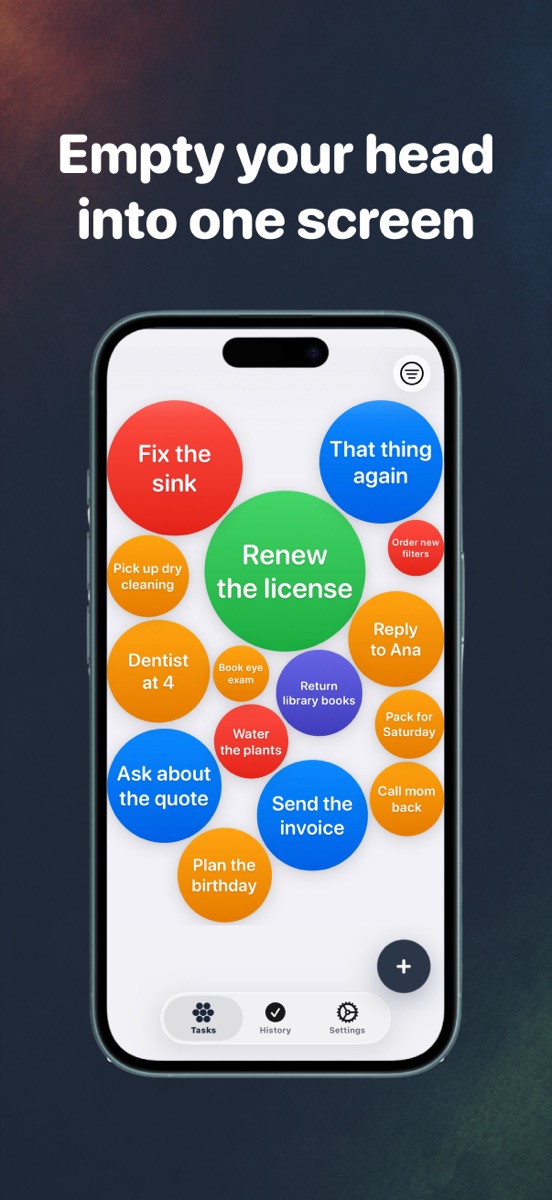
Empty your head into one screen.

Type a thought and it becomes a bubble floating on screen. No folder to pick, no project to set up, no blank list staring back at you. The longer you leave something, the bigger it gets.

Download on theApp Store

Free to start · $14.99 once for Pro · No subscription

Three moves. That's the whole system.

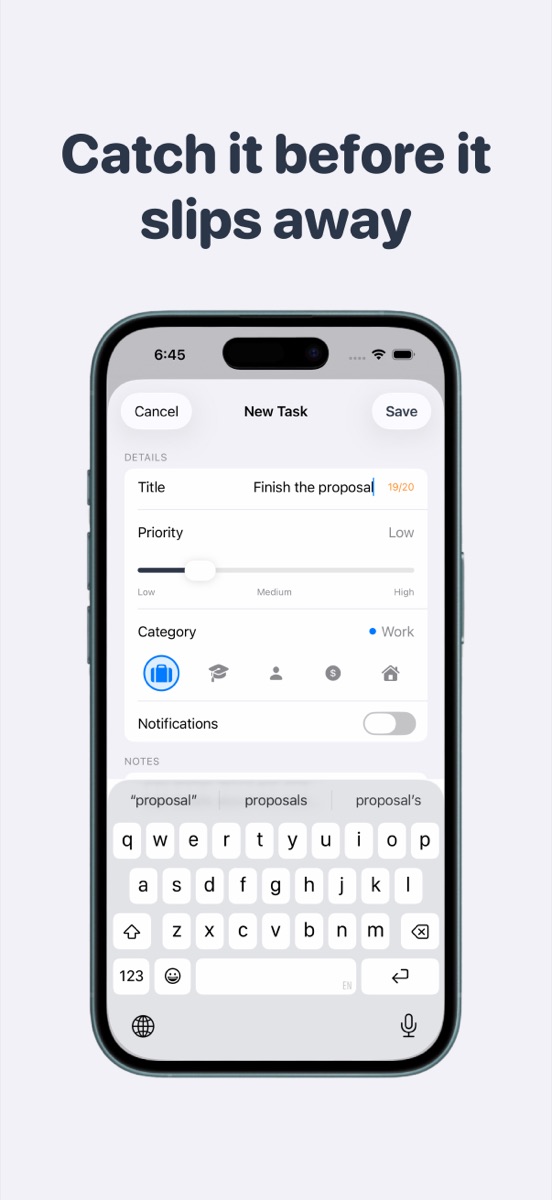
  1. Typing a new task; a bubble drops onto the canvas 1

    Dump it out

    Open the app, type, done. Under five seconds from thought to screen. No category picker, no project, no setup.

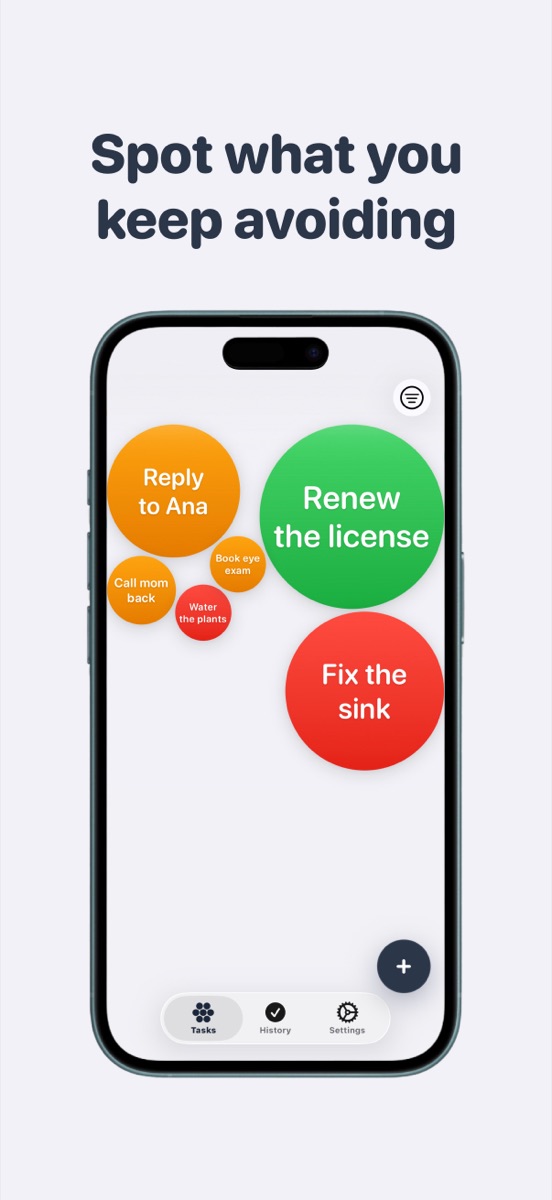
  2. Canvas where a few bubbles have grown much larger than the rest 2

    Watch what you're avoiding

    Tasks grow bigger the longer they sit. Nothing hides behind a tab, nothing turns red. The thing you keep putting off just gets harder to miss.

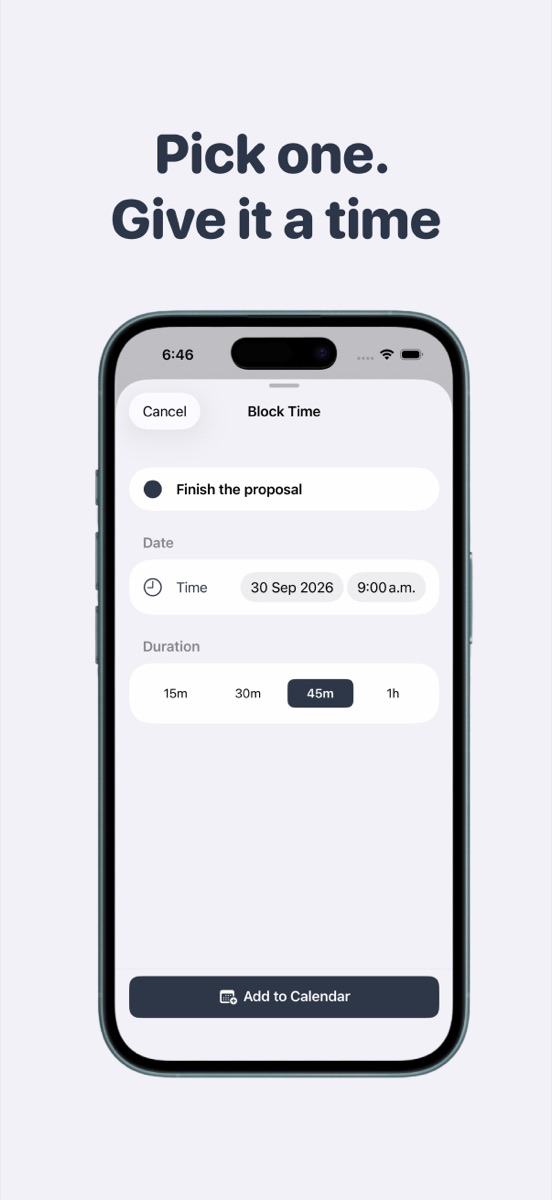
  3. Assigning a time block to a bubble 3

    Pick one, give it a time

    Long-press a bubble and block time for it in your calendar, without leaving the canvas. Double-tap when it's done and feel the quiet.

Simple on purpose.

Everything below ships today. No sub-tasks, no dependencies, no team boards — that's a different app for a different brain.

  • Canvas full of colored task bubbles

    A canvas, not a list

    Tasks float, collide and settle. Drag them, tap to open, double-tap to complete.

  • Bubbles of different sizes, older ones larger

    They grow while you wait

    A bubble starts small and reaches full size after ten days. You never mark something urgent — time does it.

  • Picking a date and duration for a task

    Block timePro

    Long-press a bubble, pick a slot, and it lands in your iOS Calendar. Its reminders go quiet while it's scheduled.

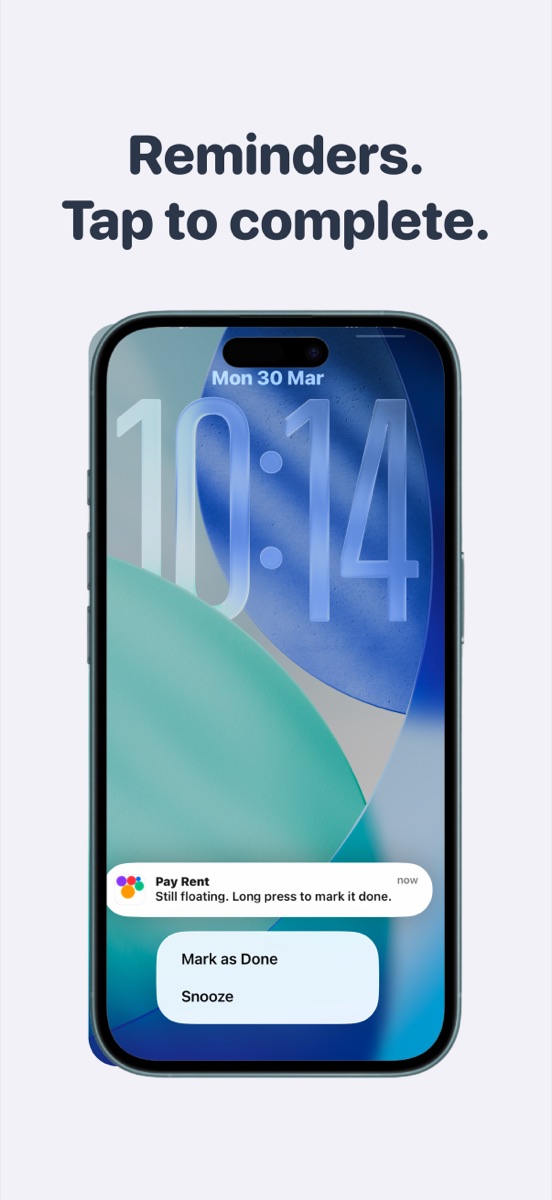
  • Lock screen notification from Unsorted with a Mark as Done action

    Reminders that nag politelyPro

    Any bubble can remind you once, twice or three times a day, or weekly. Notifications carry Mark as Done and Snooze.

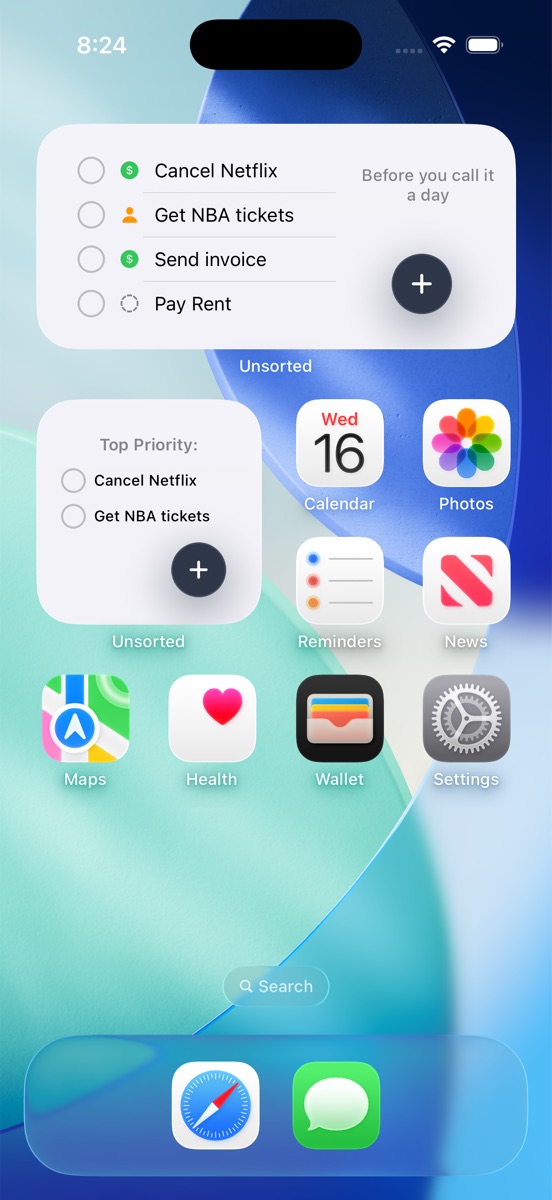
  • Home screen widget listing top tasks

    Done from the home screen

    Small and medium widgets show your biggest bubbles. Complete one without opening the app.

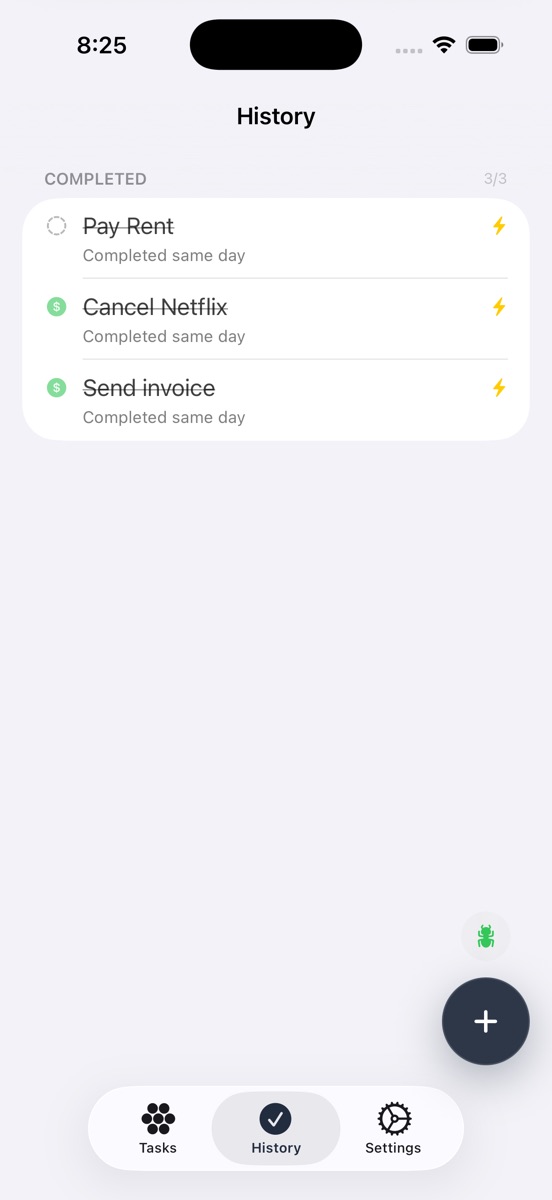
  • History tab listing completed tasks

    Pop it, keep the record

    Completed tasks sit in History with a "done after 4 days" stamp. Restore one if you were too quick.

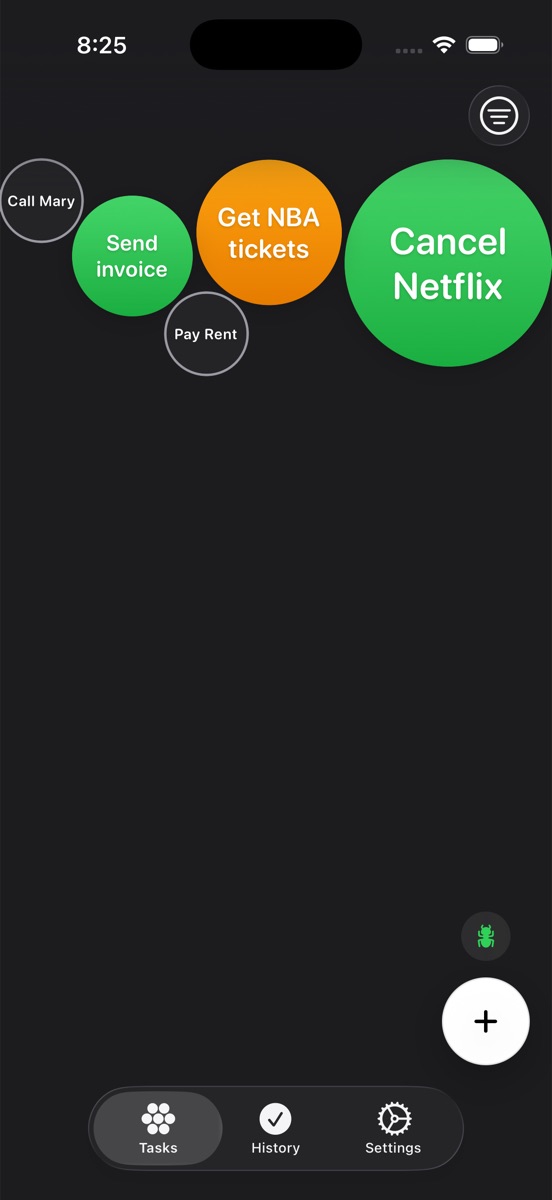
  • The canvas in dark mode

    One morning nudge, any theme

    A single daily reminder at the time you choose, ten different ways of saying it. Light, dark or automatic.

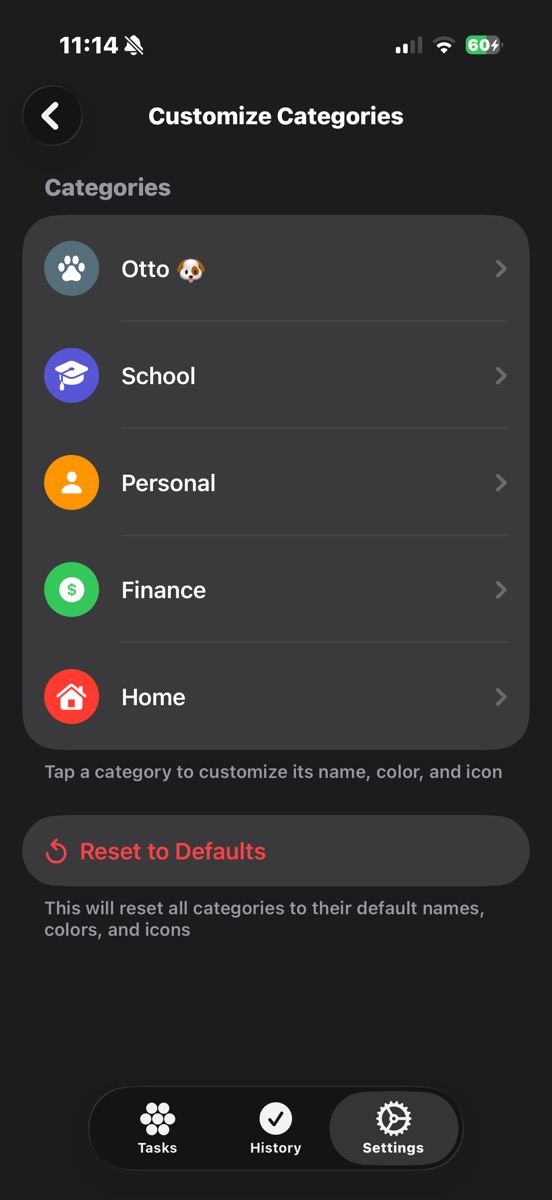
  • Categories settings with a renamed category

    Five colors, or your ownPro

    Work, School, Personal, Finance, Home — filterable. Pro lets you rename them and pick the color and icon.

$14.99 once. Not $14.99 a month.

Todoist is about $48 a year. Things 3 is about $80 across devices. Unsorted is $14.99, one time, and it's yours.

Free

$0 forever · no account

  • 10 active tasks, 20 completed
  • Full bubble canvas and growth
  • Five color categories
  • Home screen widget
  • One morning reminder a day
  • No ads, ever
Download free

Pro

$14.99 one time · lifetime

  • Everything in Free
  • Unlimited tasks
  • Per-task reminders with Snooze
  • Block time in your calendar
  • Rename and recolor categories
  • No subscription. No upsell.
Unlock in the app

Pro is a one-time in-app purchase handled by Apple. Price shown in USD; the App Store shows your local price.

Hi, I'm Miguel 👋

I built Unsorted for someone I love. She tried every to-do app out there — Todoist, Things, Notion, Reminders — and nothing stuck.

Her brain doesn't work like that, and neither does mine. So I made the app that doesn't ask you to be organized before it helps you. You type. It floats. The stuff you avoid gets bigger until you can't not see it.

It's just me — a one-person studio in Mexico, no investors, no growth team. That's why it costs $14.99 once instead of $5 a month forever. If it helps your head get a little quieter, that's the whole point.

— Miguel, Studio Ascensus

Stop deciding what's important.
Let time decide.

Download on theApp Store